

Running an online store is exciting, but many businesses struggle to get visitors from Google. The reason is simple: they make basic SEO mistakes. These mistakes stop websites from ranking higher, getting traffic, and making more sales.
In this blog, I will show you the 10 most common eCommerce SEO mistakes and give you simple solutions to fix them. By avoiding these, you can improve your rankings, attract more customers, and grow your sales.
1. Ignoring Product and Category Page SEO
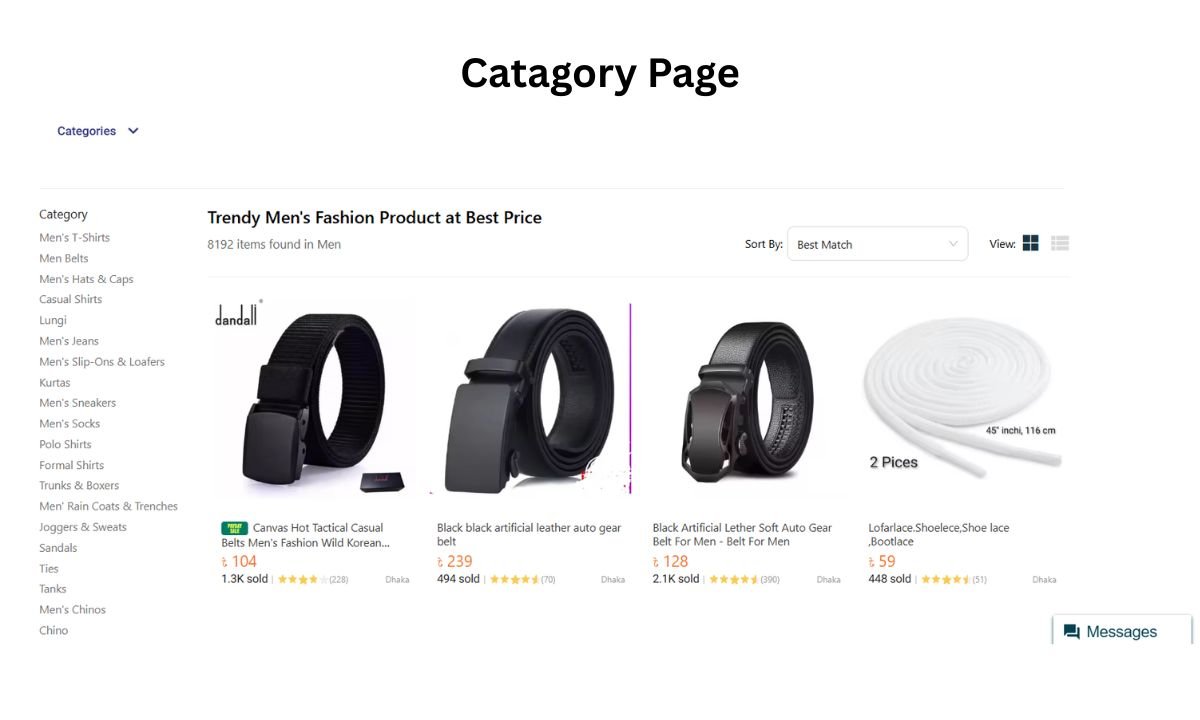
Many store owners think SEO is only about the homepage or blog. But product and category pages are the real money pages.
Common mistakes:
- Using default product descriptions
- Not optimizing category pages
- Skipping product FAQs or reviews
How to fix it:
- Write unique titles and descriptions for every product
- Add relevant keywords naturally
- Include customer reviews and FAQs on product pages
Example: Instead of “Red Shoes Model 123,” use “Comfortable Red Running Shoes for Men – Lightweight Sports Sneakers.”
2. Duplicate Content Issues
Duplicate content is one of the biggest eCommerce SEO killers. Google does not like when many pages have the same content.
Where it happens:
- Copying manufacturer product descriptions
- Multiple URLs for the same product (due to filters or sorting)
- Copy-paste content across categories
How to fix it:
- Write original descriptions in your own words
- Use canonical tags for duplicate URLs
- Avoid copy-paste from competitors
Quick Tip: Use a tool like Screaming Frog to check duplicate pages.
Table: Original vs Duplicate Content
| Content Type | Duplicate Example | Original Example |
| Product Description | Copied from manufacturer website | Written with your own benefits and features |
| Category Page Content | Same text across all categories | Unique text for each category |
| Blog Content | Copying competitor’s blog | Fresh, unique blog with your own insights |
3. Slow Website Speed

If your website takes more than 3 seconds to load, visitors leave. Google also ranks slow sites lower.
Why websites are slow:
- Heavy images
- Poor hosting
- Too many scripts
How to fix it:
- Compress images before uploading
- Use caching and a Content Delivery Network (CDN)
- Choose fast hosting optimized for eCommerce
- Test speed with Google PageSpeed Insights
4. Poor Mobile Optimization
Today, most shoppers use their phones. If your store is not mobile-friendly, you are losing sales.
Mistakes to avoid:
- Desktop-only design
- Hard-to-read fonts on mobile
- Complicated mobile checkout
Solutions:
- Use responsive design (mobile + tablet + desktop)
- Test your site with Google Mobile-Friendly Test
- Make checkout simple with fewer steps
Remember: In Bangladesh and Asia, mobile shopping is more popular than desktop.
5. Messy URL Structures
Your URL is important for both Google and users. Clean URLs get more clicks and rank better.
Bad URL example:
www.mystore.com/product?id=1234&ref=xyz
Good URL example:
www.mystore.com/men-running-shoes/red
Best practices for URLs:
- Keep them short and clear
- Use keywords naturally
- Avoid random numbers and symbols
6. Weak Internal Linking
Internal links help both visitors and Google understand your site. Many stores ignore this.
Common problems:
- No links between products and categories
- No breadcrumbs
- Blogs not linking to products
How to fix it:
- Add related products under each product page
- Use breadcrumbs navigation
- In blogs, link to your products and categories
Example: In a blog about “Best Running Shoes,” link directly to your shoe product pages.
7. Poor Meta Tags and Titles
Meta tags are the first thing users see in Google search results. Bad titles and descriptions lower your clicks.
Mistakes to avoid:
- Missing meta titles
- Duplicate titles across pages
- Very short or very long descriptions
How to fix it:
- Write unique titles with main keywords
- Add call-to-action in meta description
- Keep within Google’s character limit
Table: Good vs Bad Meta Tags
| Element | Bad Example | Good Example |
| Title | “Shoes” | “Buy Running Shoes Online |
| Description | “We sell shoes.” | “Shop lightweight running shoes online in Bangladesh. Free shipping & easy returns.” |
8. Skipping Structured Data (Schema Markup)
Structured data helps Google understand your site better and show rich results like reviews, prices, and availability.
Without schema:
Your product shows only a link in Google.
With schema:
It shows star rating ⭐⭐⭐⭐⭐, price, and “In Stock” info.
Fix:
- Use Product Schema for all products
- Use Review Schema for customer feedback
- Use FAQ Schema for common questions
Tools: Google’s Structured Data Markup Helper or Schema.org
9. Not Using Analytics and Search Console
Running an online store without analytics is like driving blind.
Mistakes to avoid:
- Not tracking visitors
- Not checking indexing errors
- No idea which keywords bring traffic
How to fix it:
- Set up Google Analytics 4 (GA4)
- Connect Google Search Console (GSC)
- Check reports weekly for improvements
10. No Content Marketing Strategy
Many eCommerce sites only sell products but don’t create helpful content. This is a mistake.
Why content is important:
- Builds trust with customers
- Attracts backlinks
- Improves rankings
Ideas for eCommerce content:
- Blog posts (guides, comparisons, tips)
- Video tutorials
- FAQ pages
- Buying guides
Example: If you sell furniture, write blogs like “Best Sofa for Small Living Rooms” or “How to Choose a Dining Table.”
Conclusion
Most online stores fail because of small but important SEO mistakes. The good news is, these mistakes are easy to fix if you take action step by step.
By avoiding duplicate content, improving speed, using structured data, and focusing on product SEO, your eCommerce site can get more visitors and sales.